Leaderboard
Last updated: April 22, 2026
Leaderboard Overview
Leaderboard pages feature an overview of trainee and team rankings, based on the top simulation scores for each user. There are three Leaderboard tabs: My Team, Company Users and Company Teams.
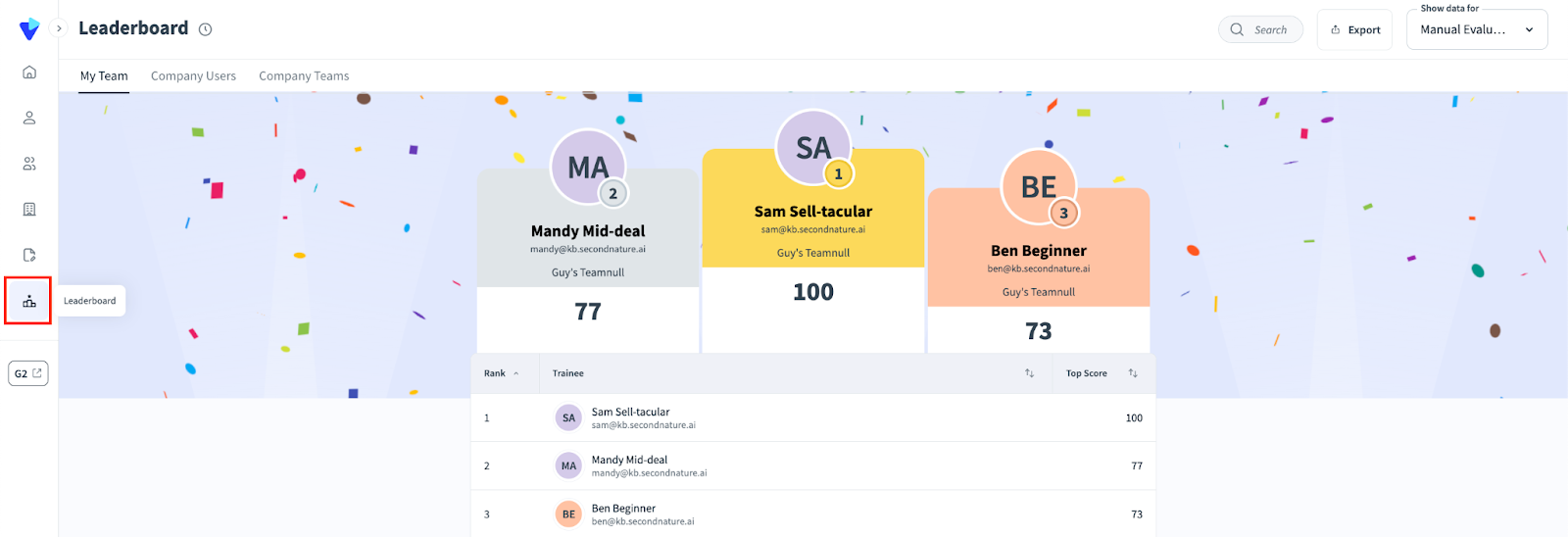
On each Leaderboard page, there is a menu at the top that provides three actions:
Search: Search for users based on their name or email address.
Export: Export the page being viewed. After clicking this option, you will be asked if you would like the export to be in Excel or PDF format. Click the preferred option to begin downloading the page.
Show data for: Use the dropdown menu at the top right corner of the leaderboard pages to narrow down the rankings to be based on one course.

My Team
The Leaderboard: My Team page displays the top three trainees, based on their highest session score within a course. This is followed by a list of all trainees with their ranking and top session score for the relevant course.
NOTE:
Course Creators who manage the team will not be displayed.
Company Users
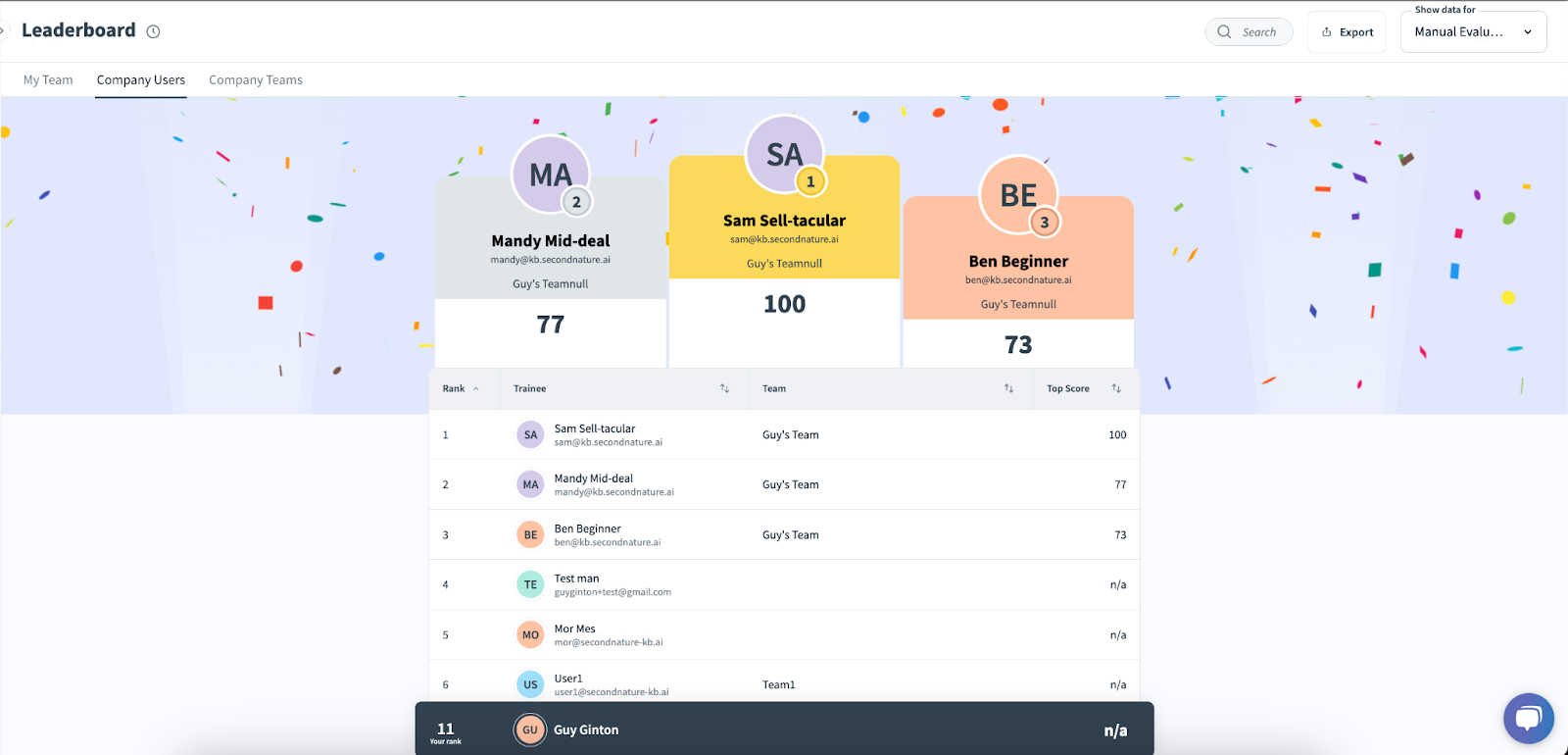
The Leaderboard: Company Users page will display the top three trainees within the entire company, followed by a list of all trainees with their rankings and score average.
Company Teams
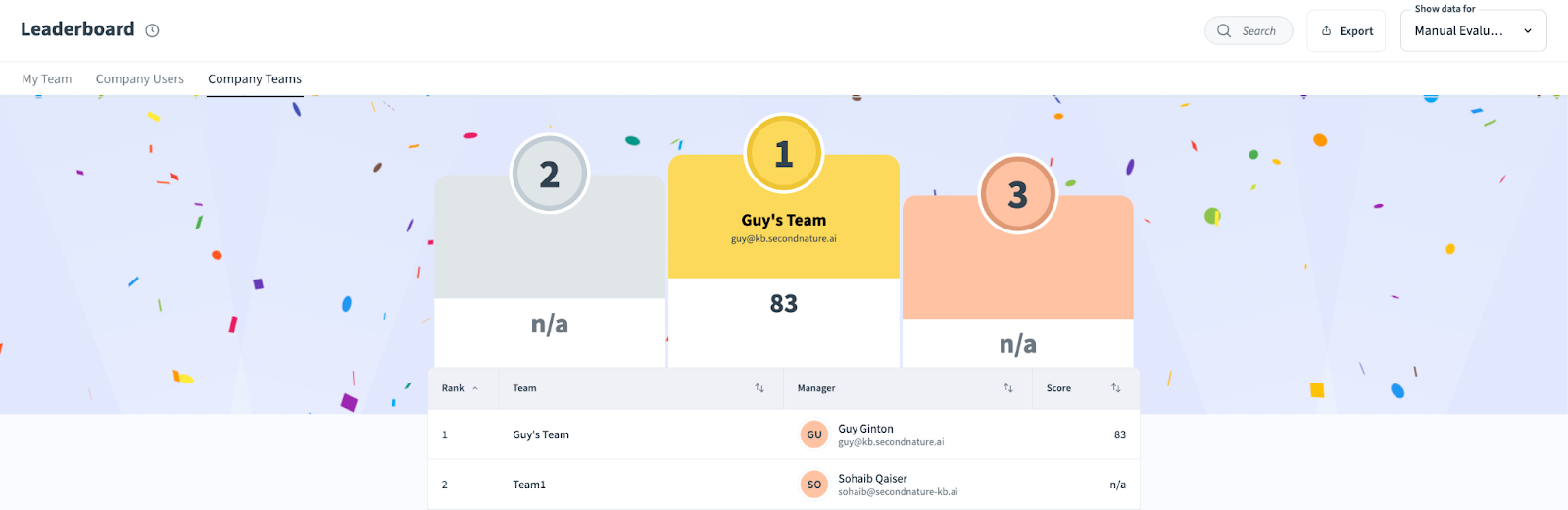
The Leaderboard: Company Teams page will display the top three teams within the entire company, followed by a list of all teams with their rankings based on score averages of all trainees within the team.