Groups
Last updated: April 22, 2026
Overview
Groups in a company are an organizational feature that allows the system to be divided into distinct segments, each with its own unique set of courses and session records. When users log in, they are prompted to select a specific group, determining which courses and sessions they can access. This structure enables tailored content delivery and tracking for different divisions or teams within the company. Users have the flexibility to switch between groups at any time, allowing them to access different sets of resources as needed.
NOTE:
This feature is configured on demand. To enable this feature, please contact support@secondnature.ai .
Why would I use groups?
You should use groups for several key reasons:
1. Organization: Groups help you structure your company's content in a logical and manageable way.
2. Customization: Different departments or teams often need different training. Groups allow you to tailor course offerings to specific organizational needs.
3. Access control: Groups can limit access to sensitive or role-specific information, ensuring users only see content relevant to their position or department.
4. Simplified navigation: Users can easily find the courses and resources most relevant to them without wading through irrelevant content.
5. Tracking and reporting: Groups make it easier to monitor progress and generate reports for specific segments of your organization.
6. Scalability: As your company grows or changes, groups provide a flexible framework to adapt your learning management system accordingly.
7. Multi-brand or multi-division management: If your company has multiple brands or divisions, groups can keep their training separate and distinct.
8. Improved user experience: By presenting users with only the most relevant content, groups can enhance engagement and reduce confusion.
How do I create groups?
Users with Second Nature admin accounts should work with Second Nature’s delivery team to create the ideal number of groups that are relevant for their needs. Groups can be planned in advanced or made on the fly.
How do I assign trainees to groups?
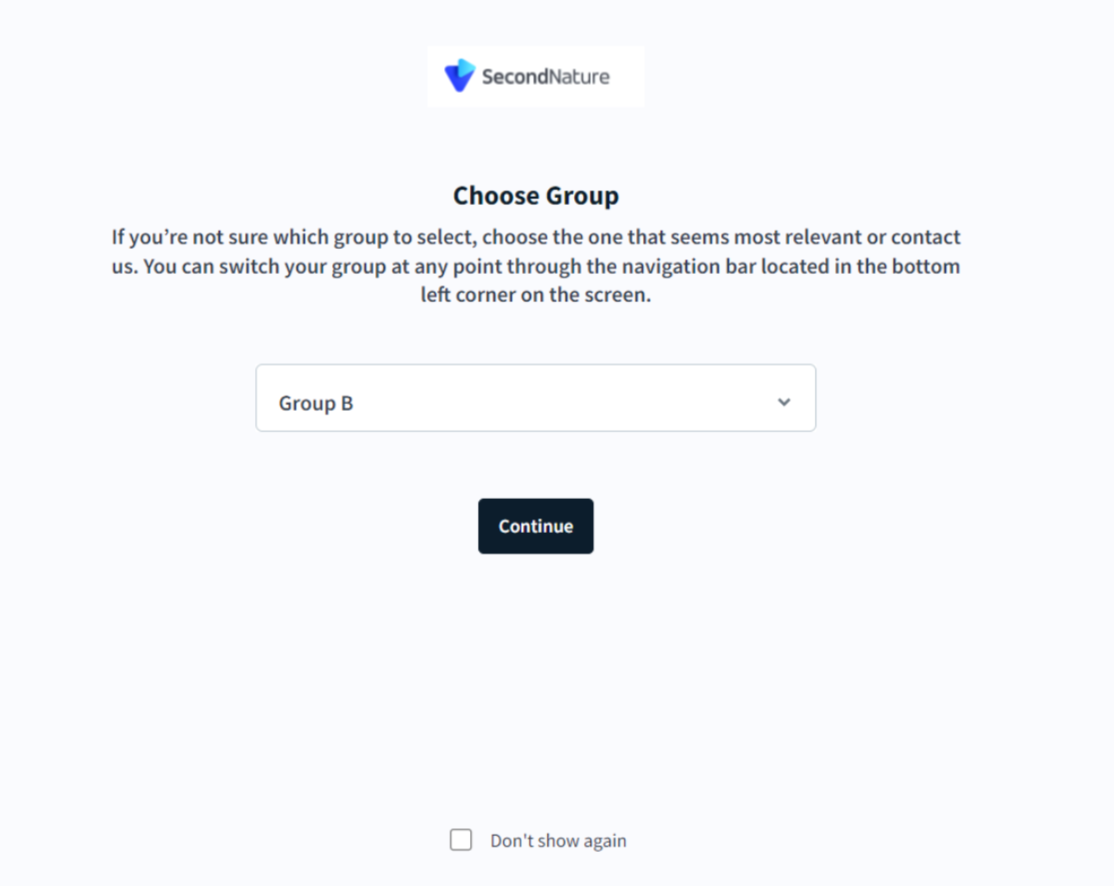
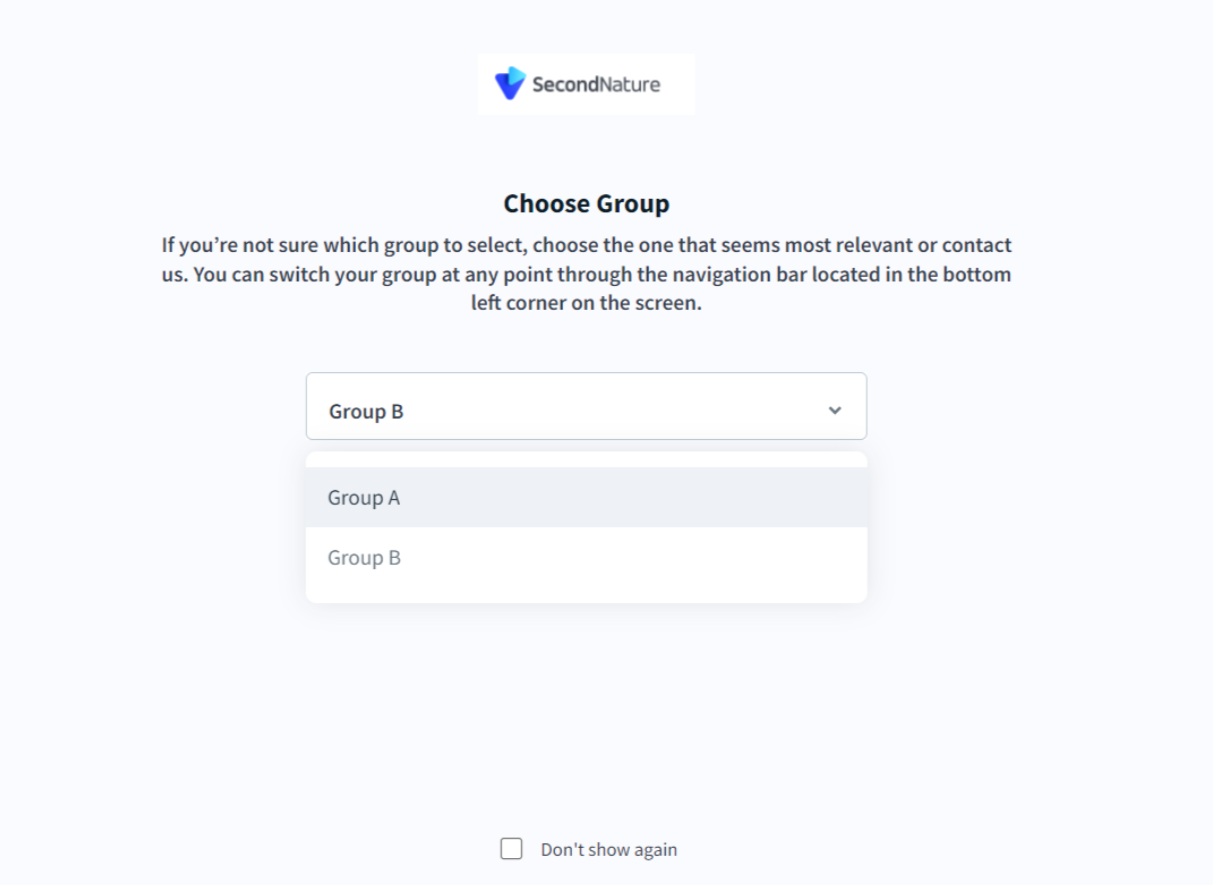
When first logging in to second Nature, trainees can decide which group they belong to.
NOTE:
It's the admin and managers responsibility to notify the different users to which group they belong to before they log in.
Trainee’s view when first logging in to Second Nature with the Groups feature enabled:
How can I switch groups?
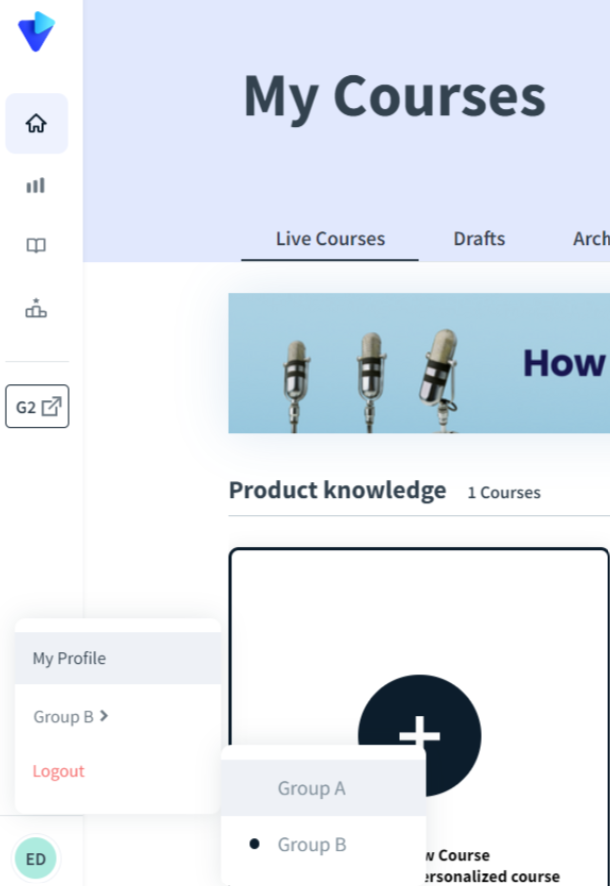
Trainees can switch their current group by going to the bottom left menu in the Second Nature app homepage, clicking it, and selecting the relevant group they want to belong to.
NOTE:
If needed, admins and managers can block the option of switching groups so trainees will only remain in their group and won't be familiar with other groups in the organization.