OEM Authentication API
Last updated: April 22, 2026
OEM Authentication Overview
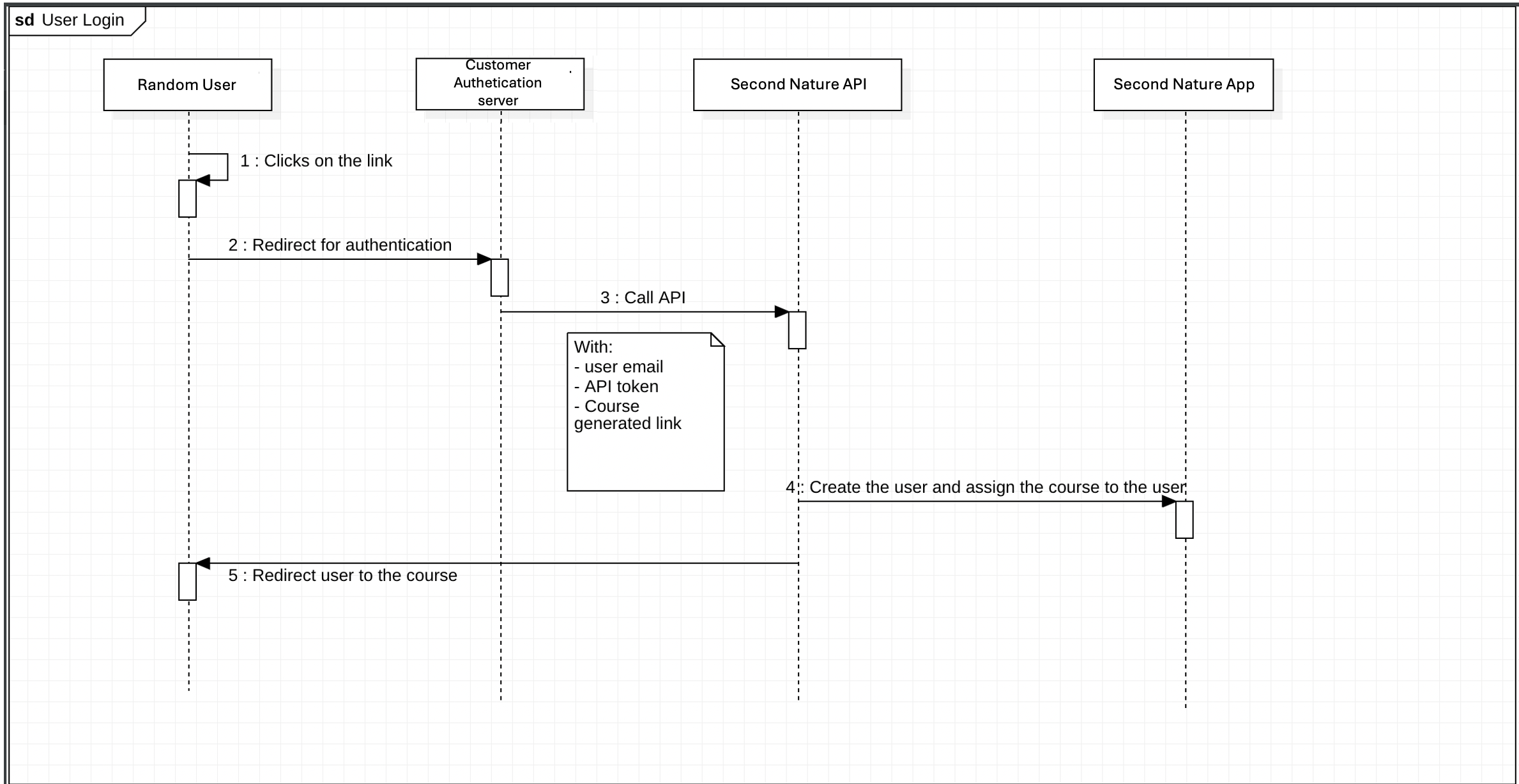
OEM Authentication API allows users to be created, authenticated and assigned to courses in the Second Nature Platform. This login method bypasses Second Nature’s in-house authentication layer.
OEM Flow
Below is a diagram representing the OEM Flow:
API Setup
Every API request must include your API key in the request header.
For authentication info, see here.
API Usage
API path: https://
/api/oem/auth/
API method: POST
API Header: Authorization “Token
“
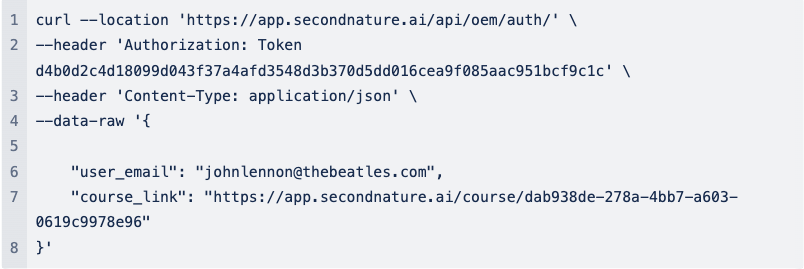
API Body (JSON):
{
“user_email“: “
“course_link”: ““,
“user_company”: “company name of the new user“,
“parameters“: {
“parameter name”: “parameter value“,
…
}
}
Example of API Call:
API Response
The api returns a JSON with the redirect_url and the status of the user (either “created” or “exists”)

API Possible Errors
There are two common errors received instead of the expected 200 responses with the user’s status. These errors are:
400 - Bad request detected
500 - Internal server error