Integrating Second Nature roleplays with an LMS using SCORM
Last updated: April 22, 2026
Background
To configure Second Nature’s AI roleplay for synchronization with a Learning Management System (LMS) via SCORM, the integration process follows several structured steps to ensure seamless data flow and operational compatibility between Second Nature and the LMS platform.
Assumptions
One or more finalized roleplays created within Second Nature
Setup and validation of Single Sign On for the LMS and Second Nature [1]
A Learning Management System (LMS) with SCORM support
Syncing only the AI score - manual/manager evaluation scores are not supported as part of the sync
[1] For resellers, please note that in an SSO enabled environment, Second Nature must handle the testing.
Process Overview
Integration Planning
Second Nature collaborates closely with the customer to identify integration objectives. This phase involves defining requirements, such as which roleplay data (e.g., user sessions, scores, completion status) needs synchronization with the LMS, and determining user authentication needs. The integration accounts for specific compliance and data flow requirements of SCORM standards, as SCORM 2004 or SCORM 1.2 protocols are utilized for this purpose.
NOTE: Some elements within the synchronization will differ based on the LMS and on the SCORM version
SCORM Configuration and Data Handling with Second Nature
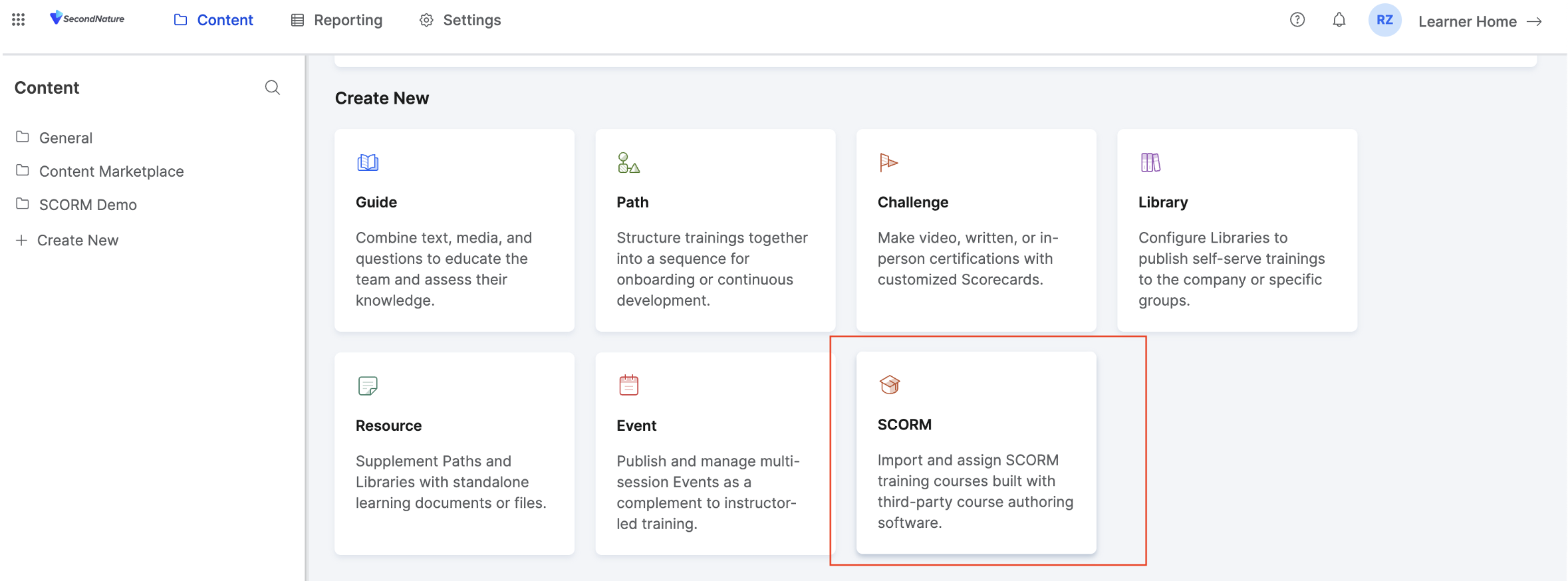
Once the requirements are established, Second Nature’s technical team or customer success lead will turn on the SCORM flag within your account to enable the transfer of session data like completion records, proficiency scores, and specific metrics such as AI or manager evaluations.
Each SCORM enabled roleplay is then configured in Second Nature by the Course Creator or Admin by doing the following:
A. Select the roleplay that is desired to sync with content or a course within the LMS.
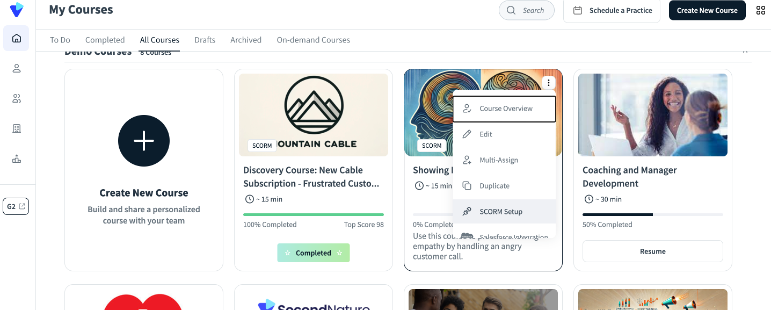
B. Toggle the “Mark This Course To Sync With Your LMS” and choose the version of SCORM to use.
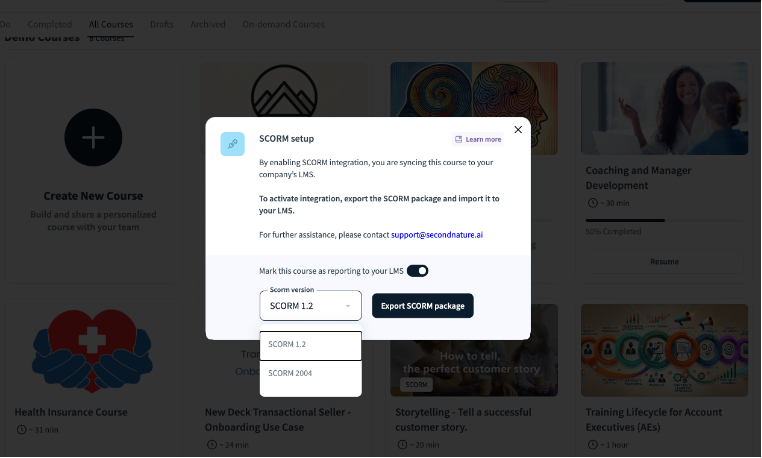
C. SCORM packages containing simulation configuration are exported out of Second Nature in .zip format
D. Within the LMS, a SCORM-enabled module or content is created. Once this is complete, the configuration file (.zip) exported from the Second Nature roleplay should then be uploaded into the LMS
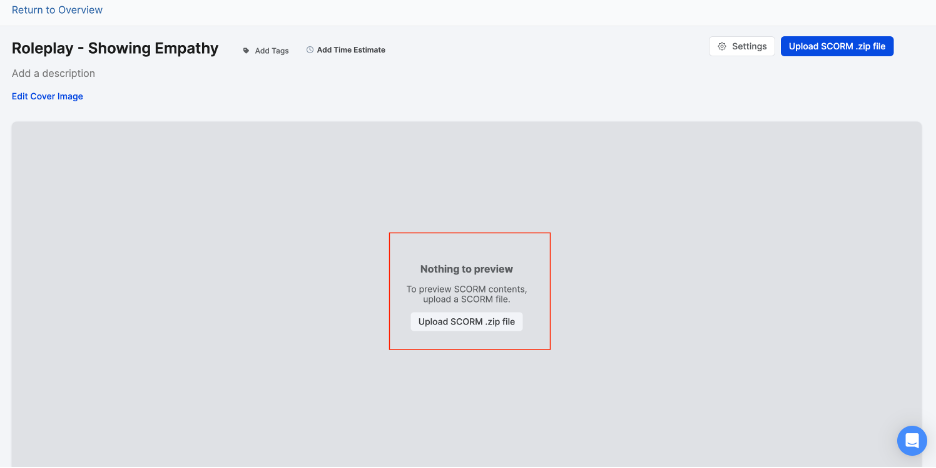
This will create the link to pass session and authentication information to Second Nature about the user accessing the roleplay and to sync the final score with the LMS. It is important that the roleplay within Second Nature is assigned to the end user. If not, then when the end user clicks on the LMS module to go to the roleplay within Second Nature, the screen will load blank.
NOTE: The completion information and the best score will be synced to Second Nature. So if a user does a session and scores an 89, and then does another roleplay session and scores a 72, only the score of 89 will be retained in the LMS. In addition, the end user must keep the LMS course and the Second Nature roleplay tabs open while doing their session or the data will not be synced.
Testing and Validation
The integration undergoes rigorous testing to ensure accurate data synchronization. Some LMS synchronizations need to be troubleshooted so this is an important step. This phase includes validation checks for data integrity and consistency between the Second Nature platform and the LMS, confirming that all roleplay results, including session analysis and scores, are correctly recorded in the LMS. Any discrepancies are addressed by the technical team to ensure a flawless user experience and robust reporting functionality.
Customization and API Options (if needed)
In cases where SCORM does not cover all integration needs, custom API connections can supplement data exchanges. For example, advanced configurations may involve creating API endpoints to handle custom reporting requirements, enabling more dynamic data interaction and insights into roleplay performance across multiple LMS platforms, depending on the customer’s LMS structure and reporting requirements. Second Nature will scope this in collaboration with the customer and LMS provider and is often unique to each LMS.
Implementation and Support
After configuration, the Second Nature support team assists with deployment and provides ongoing support to troubleshoot any issues. Customer success teams conduct training sessions on managing the SCORM-integrated roleplays, helping stakeholders and managers understand the flow of data between Second Nature and the LMS, managing roleplay sessions, and utilizing reporting functionalities effectively.
Data Security and Compliance
Throughout the integration process, Second Nature ensures that data security protocols align with compliance standards. All data exchanged through SCORM or APIs is encrypted both at rest and in transit to protect sensitive learner information, providing peace of mind around data privacy and regulatory adherence.
This approach ensures that the Second Nature roleplay experiences are fully synchronized with the LMS, enhancing learner tracking, skill assessment, and real-time reporting for an optimized training solution.
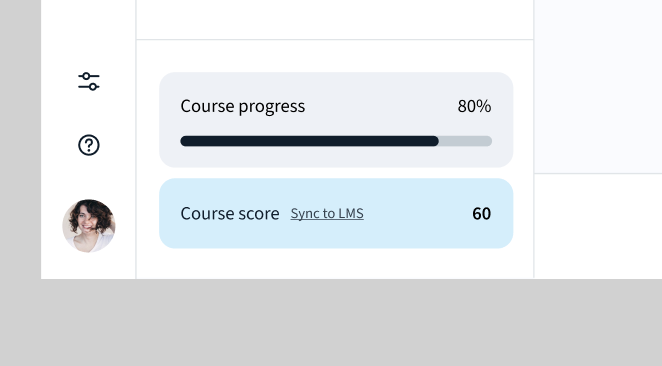
Sync my course score to LMS
If SCORM integration is available, users can sync their simulation scores directly to their Learning Management System (LMS).
This option is available across all interactive simulations.