How can I submit a session for manual evaluation?
Last updated: April 22, 2026
When first setting up a role play, there is an option to make the role plays’s sessions eligible for manual evaluation. By default, this setting is disabled. In the Score Settings section, toggle the Allow trainees to submit sessions for review by an evaluator setting on. After creating the course, assign relevant users as course evaluators, who will get notified of completed simulations which they may assess.
WARNING:
The option to allow manual evaluation must be completed on course setup. This option can not be added after a course was already published./
For courses that have had manual evaluation enabled, there are two options to submit a session for manual evaluation:
a. As a trainee you may go to the My Progress > My Sessions page to see a list of completed simulations. If the simulation is eligible, click the Submit (for evaluation) button. This will notify relevant evaluators that the simulation is ready for grading. If the simulation is not eligible for manual evaluation, it will say n/a.
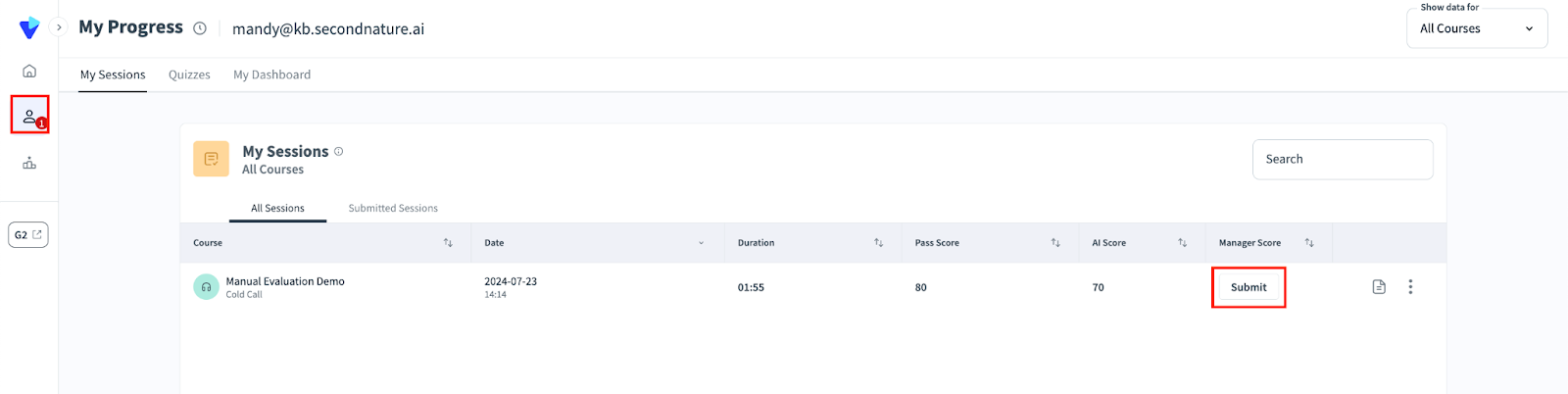
b. As a course evaluator, you will receive emails when users submit courses for evaluation. Alternatively, you may go to the Team Overview page to find completed simulations, where you will see a Review now button. Go to the Analysis page by clicking the Review Now button.
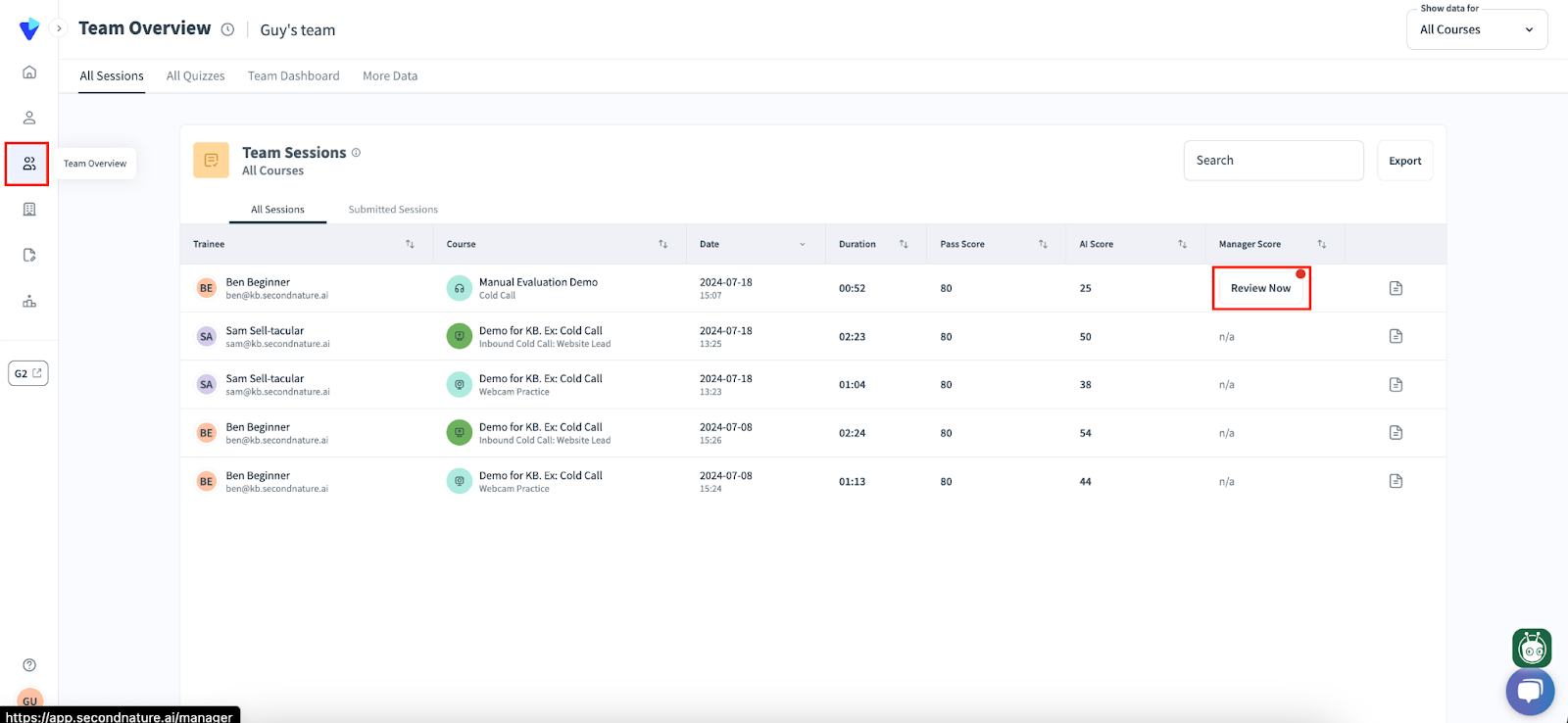
See “Evaluating a course” to learn more about course analysis, including how to use the Analysis page.