Topics to Cover
Last updated: April 22, 2026
Topics Overview
The Topics to Cover section allows you to define the topics that will be used as evaluation criteria for trainee simulations. Each topic includes evaluation guidelines that determine how trainee performance is scored.
Setting Topics
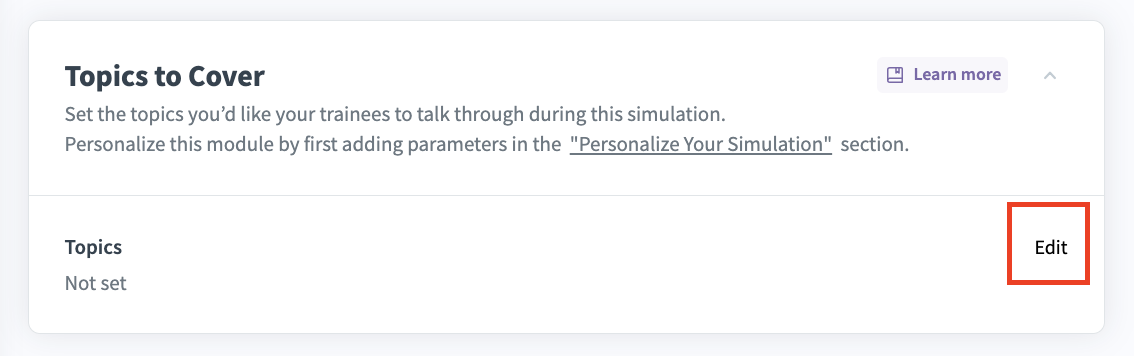
Click Edit to choose the topics you want trainees to discuss during the simulation. This will open the Topics Table.
In the table, you can:
Add topic: Create new topics for the discussion.
Custom: Add a new line to enter any topic manually. For example, entering “Company motto” means the trainee is expected to discuss the company’s motto during the simulation.
Click Done when you have finalized your list of topics and their respective weights.
AI Evaluation Guidelines
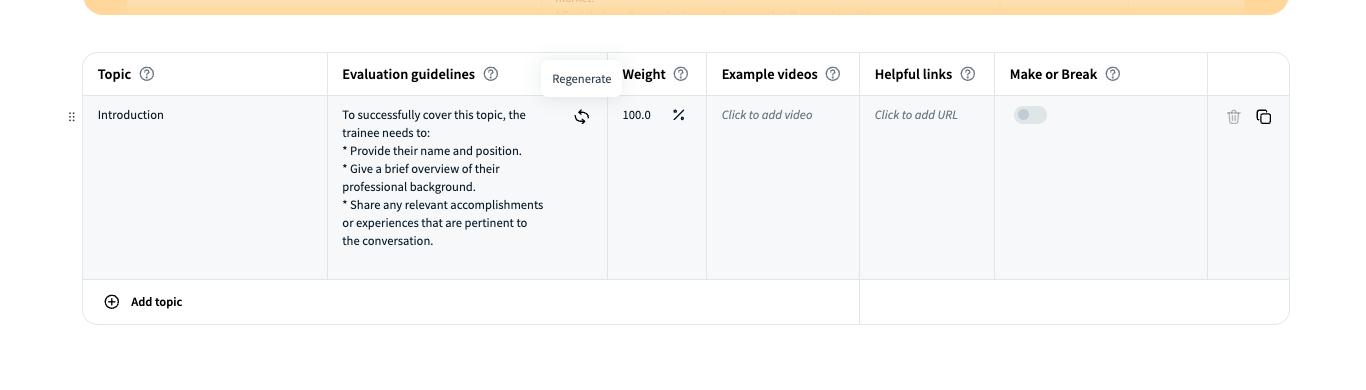
Evaluation guidelines are automatically generated for each topic when added. They describe how the topic will be analyzed and what the trainee needs to cover to score points. You can edit these guidelines to better reflect your expectations.
Each evaluation guideline cell includes a Regenerate button (top-right) that can generate alternative guidelines. Press it multiple times for ideas, or enter your own.
Example:
Topic: “Clarity”
Evaluation guideline: “To successfully cover this topic, the trainee must clearly explain the product, use simple language, and provide examples.”
Alternatively, “Clarity” can be broken into sub-criteria: articulation, enunciation, tempo, pauses, breath control, body language, and confidence.
Scope of Topics
The evaluation guidelines define what is required to achieve a score of 100.
Trainees must cover all topics to receive a perfect score.
Example:
Topic: “Introduction”
Required actions:
Provide name & position
Give a brief professional overview
Share relevant accomplishments or experiences
Weight of Topics
By default, all topics carry equal weight.
You can adjust weights to prioritize certain topics.
The total weight of all topics must equal 100.
A maximum of 10 topics can be evaluated per simulation.
Additional Resources
Example Videos: Upload recordings showing how a topic should be addressed in a conversation.
Helpful Links: Add URLs that support trainee understanding (must start with
https://).
Additional Actions
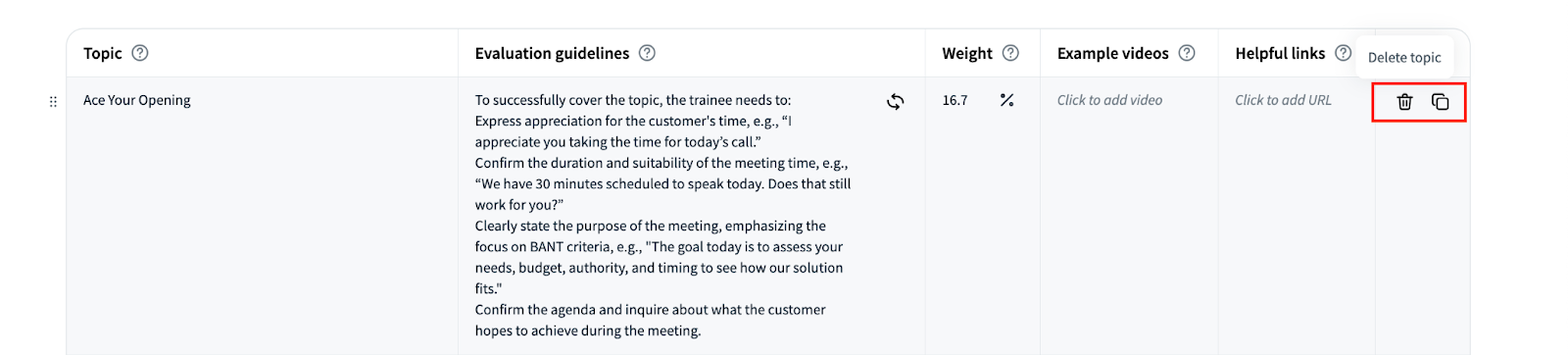
Delete topic or Duplicate topic options appear when hovering over the last column of the table.
Make or Break Feature
The Make or Break feature allows you to designate critical topics. If a trainee misses any of these topics, their final score will automatically be set to zero. Multiple topics can be designated as Make or Break, giving you flexibility to define essential areas for successful completion.
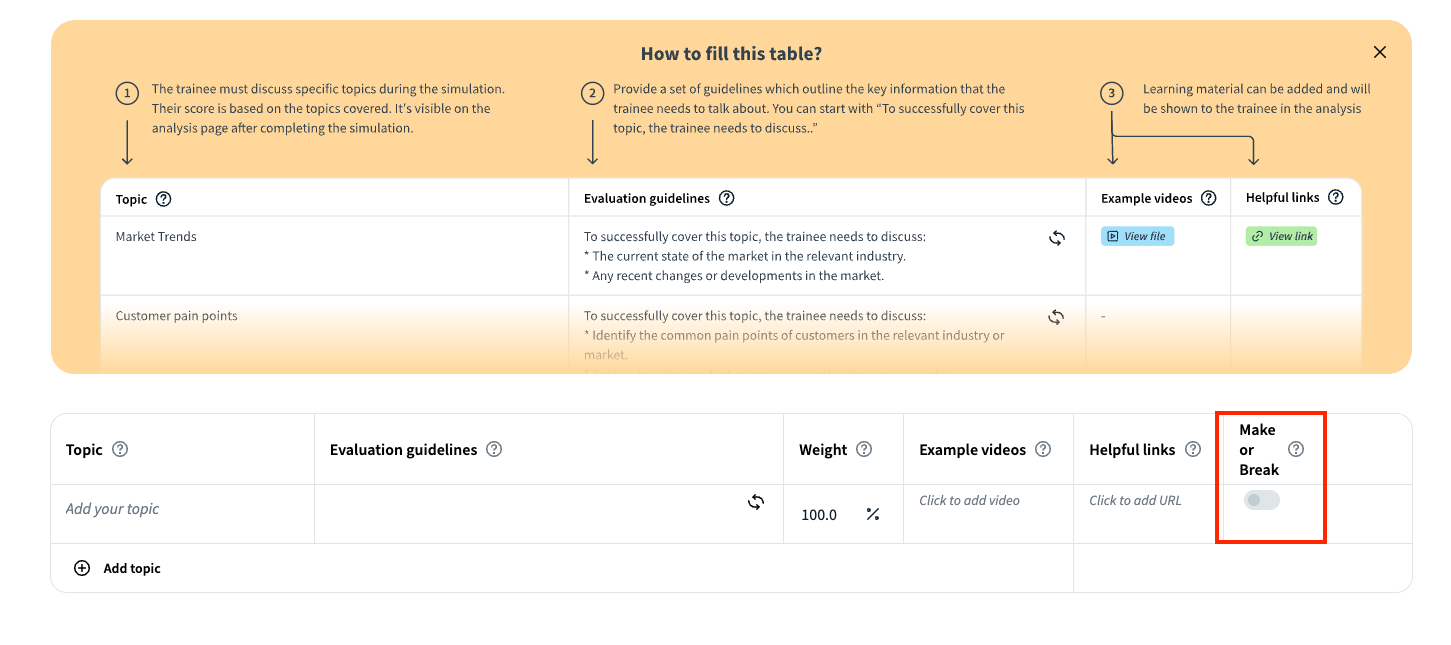
Tip: This feature works best when specific sentences or key points must be addressed during the conversation.