How to Create and Customize Role Play Tasks
Last updated: April 22, 2026
NOTE:
If this is your first time creating a course, please first read “How to Create a Course”.
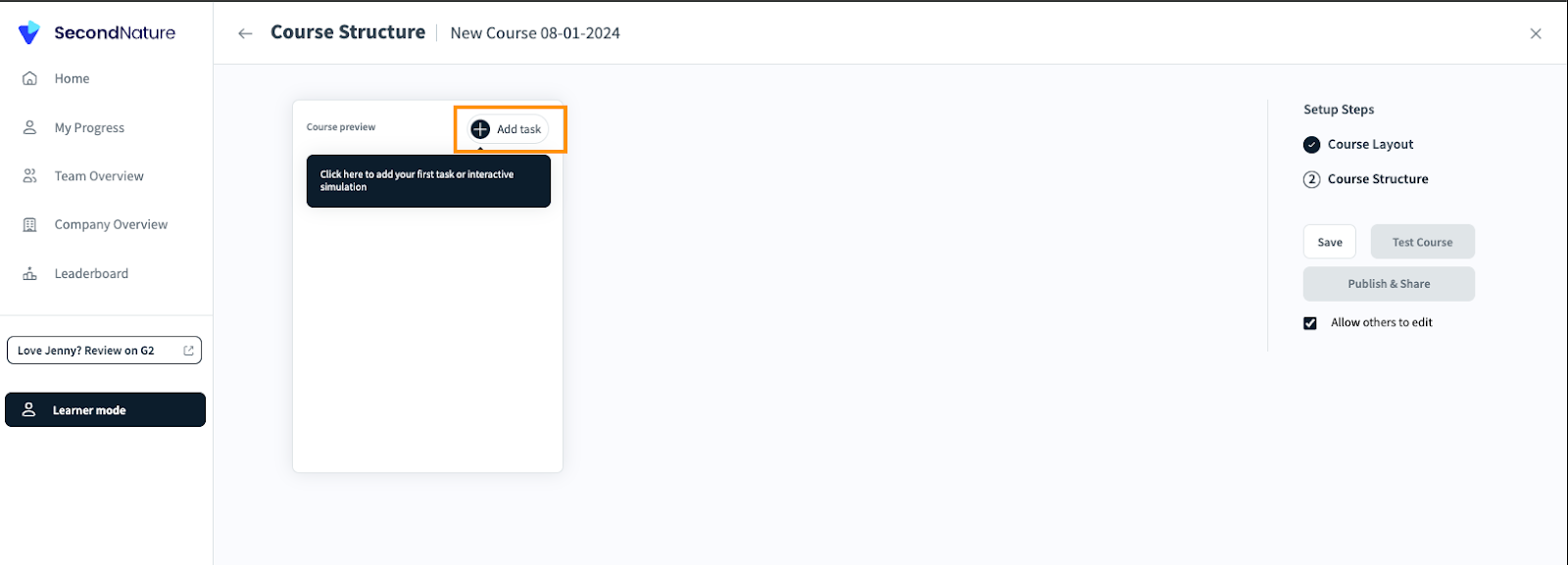
Course editors may create custom role plays during the course creation process. While on the Course Structure Page, click Add task on the left side of the screen.
2 Options appear :
Role Play
Collateral
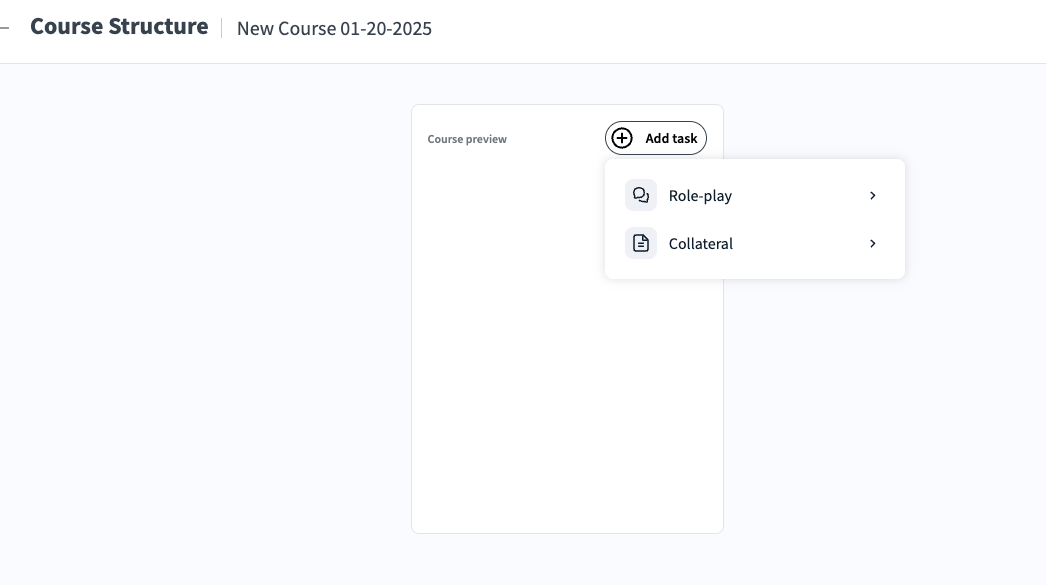
For the role plays tasks, click "Role Play"
When clicking the "Role Play" option a new menu appears
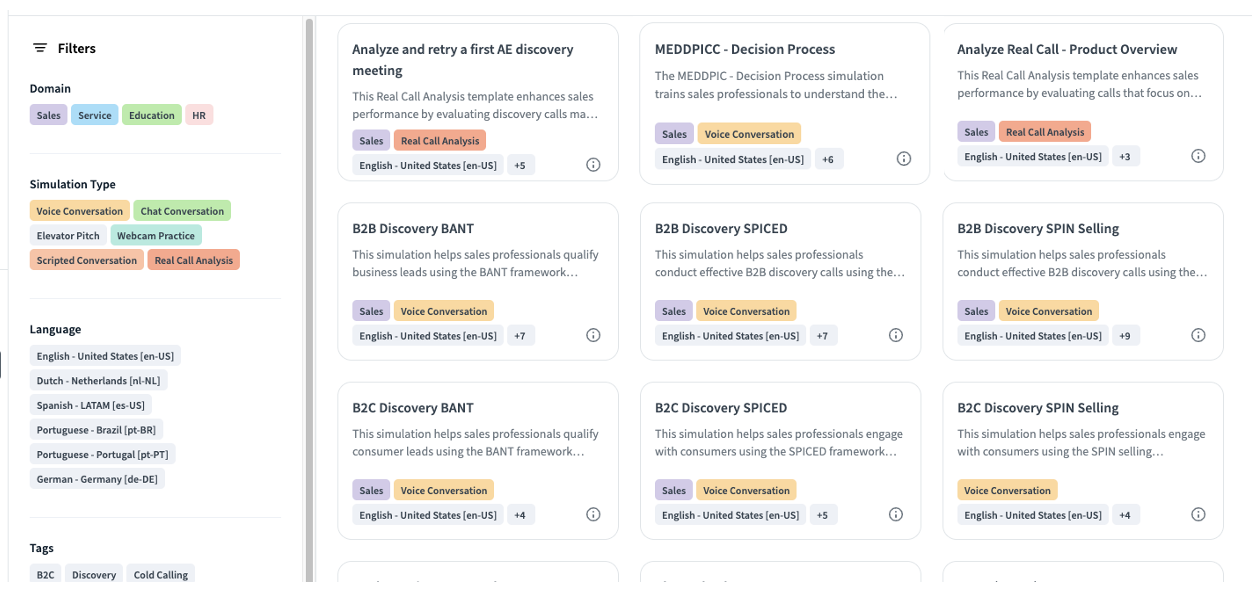
This menu contains various types of role-play role play tasks. To understand which task type is most suited for your needs consider the following common options, all are template based:
Voice Conversation: Voice Conversation role plays involve voice interactions, allowing trainees to practice handling various customer scenarios. There are different templates available that help course creators focus on specific scenarios or objectives. For a completely customized scenario, course creators can use the Custom Conversation template or leverage the AI Assistant feature to guide the creation process.
Scripted Role-Plays: In this task, trainees are required to follow a predefined script. It is used to ensure that trainees adhere to specific dialogues or responses during a scenario. Please refer to Setting up a Scripted Conversation for more information on the unique setup for this template.
Webcam practice: This task is designed as a one-sided conversation where the trainee practices their pitch and other conversation skills. The trainee records their responses to the scenario without interaction from the AI. Please refer to Setting up a Webcam Practice for details on unique steps in this template that are not outlined below.
Real call analysis: This task evaluates trainee performance by analyzing their actual customer calls uploaded to Second Nature. Trainees can either receive a detailed analysis or practice the same call again in a simulated environment. Please see Creating a Real Call Analysis Task Type for more information on unique steps for this template.
Chat Role Plays: Chat Role Plays focus on text-based customer interactions. In this task, trainees engage in written conversations and can either analyze their performance or practice it again through Second Nature’s chat simulator.
[Additional role play types are listed in the documents “Understanding Second Nature’s Simulation Templates Portfolio” and “Real Call Analysis (Simulation Type)”.]
The role plays tasks can be filtered according to
Domain - Indicates the business category or field the call belongs to
Role play types - Indicates the role play type [as depicted above] the call belongs to
Language - Indicates the language of the role play type
Tags - Each role play category includes specific tags that highlight the core competencies and skills being practiced
After selecting the relevant role play type, begin to customize your role play by carefully reviewing the different setting sections provided. Due to the large number of configurable role play aspects, the settings are defined in the following documents:
Different role play types will require different settings. You may opt to read through each section one-by-one or focus on the settings that are relevant to your needs. After reviewing all your role play settings, feel free to add more tasks or publish your course.
By following these steps, you can effectively customize role play tasks in Second Nature to create realistic and engaging training scenarios for your trainees.