How can I delete a session?
Last updated: April 22, 2026
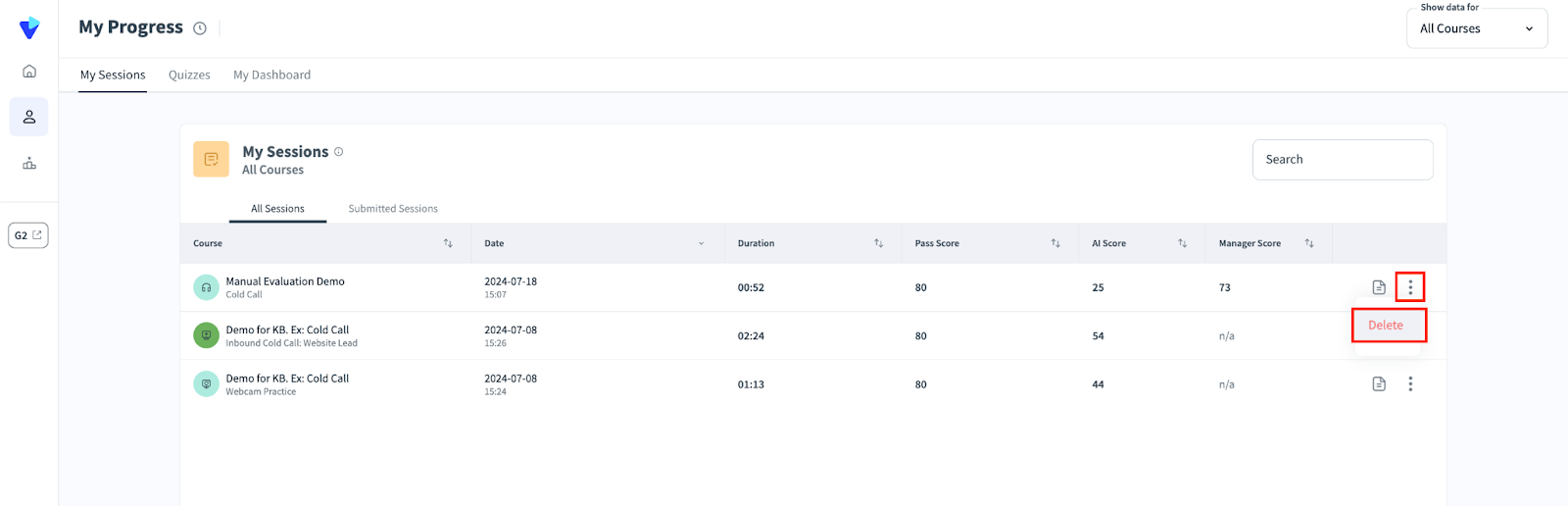
Sessions, or attempts at a simulation, can be deleted by trainees within the My Progress page. Simply find your relevant session, then press the vertical ellipsis on the right hand side to reveal a menu. Press Delete to delete a session.
WARNING:
This action can not be undone!
a. There is a dropdown menu at the top right corner to filter out specific courses.