A role play topic I covered was not scored properly
Last updated: April 22, 2026
Our AI system is designed to analyze role plays and provide insights based on the data it processes. While it strives to deliver accurate and meaningful analysis, it may not capture all the nuances and details of a live call. The AI technology is continually evolving and improving, but it currently has limitations that users should be aware of. For the most comprehensive feedback, we recommend supplementing AI analysis with human review.
Trainees may adjust the AI Analysis of Knowledge topics following an analysis of their session. Trainees should go to the My Progress page and then click the session analysis button on the right hand side of the relevant session. This will open the Analysis page in a new tab.
Within the Analysis page, users should provide relevant details as to why they believe the topic was not analyzed correctly. This should include a text description explaining the contention. Press Submit Revision for the AI to re-analyze the topic, factoring in the highlighted text.
a. If the transcript of the role play contains text that addresses the topic, but the AI Analysis missed the relevant text, click to highlight the relevant text. After you highlight text from the transcript that is relevant to the topic being assessed, you may enter the reason the text is relevant in the textbox provided, labeled “Describe why you think you were scored wrong.”
i. If you accidentally highlight excess text, or the wrong lines within the transcript, press clear formatting to unhighlight text.
ii. See the GIF below for a demo of revising the analysis of a session topic.
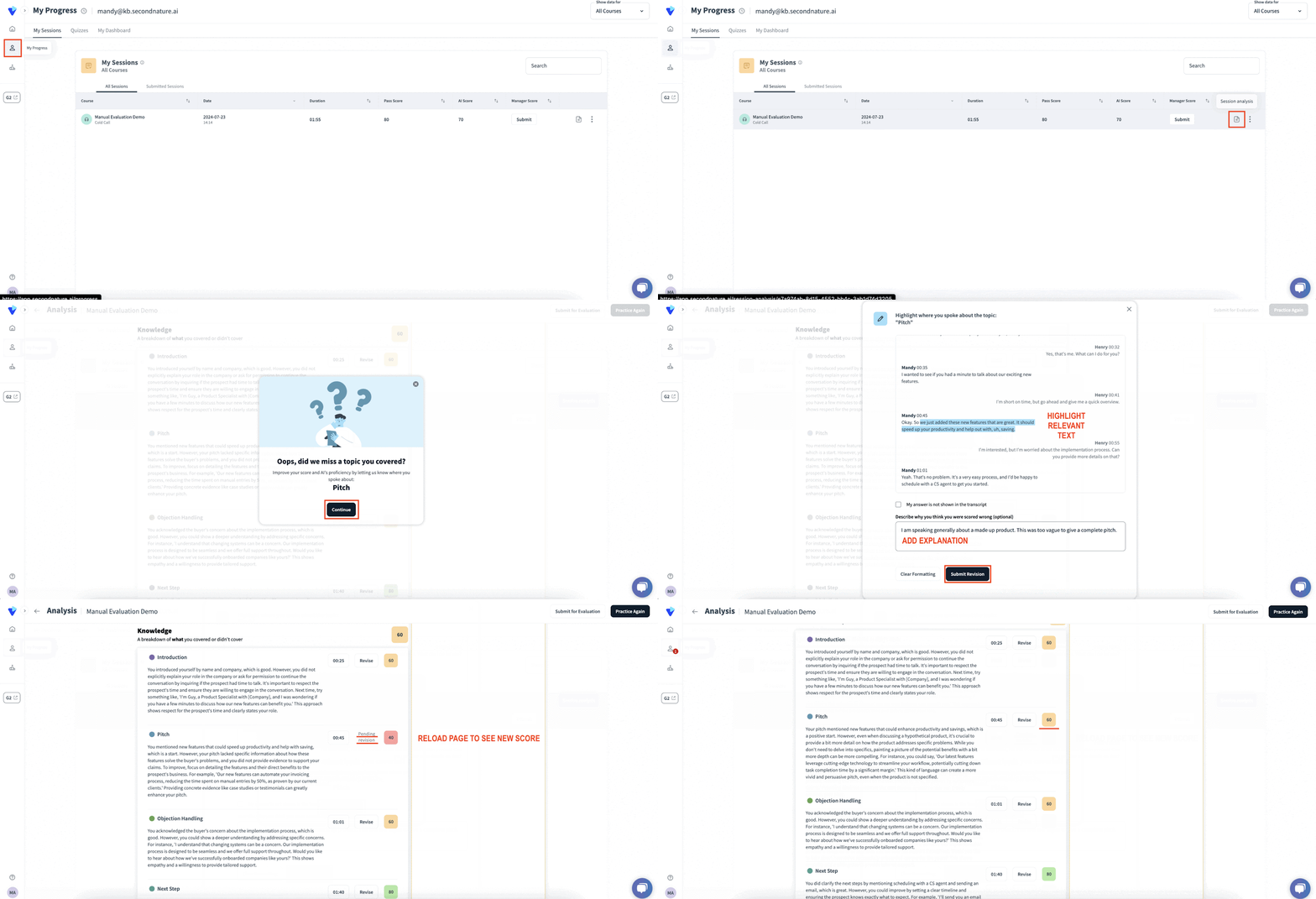
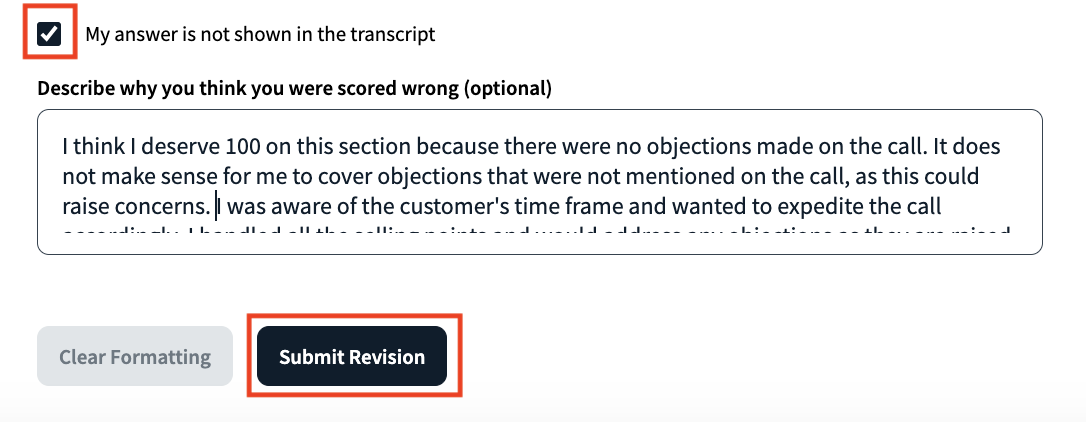
b. If the transcript does not contain text relevant to the change in analysis of the topic, but you believe it was either addressed on the call was implicitly addressed, you must still enter a description explaining why the analysis is off. After, press the My answer is not shown in the transcript option.
c. It can take a few minutes for the AI analysis of a session to complete. Please be patient if you see Pending revision next to a session topic.
See “Evaluating a course” to learn more.
NOTE:
You may only add additional information that will factor into the AI Analysis of a session. Raw scores may not be directly altered.
NOTE:
This option will only apply for users to adjust their own score. If you are an evaluator and receive a request to review an AI score, have the trainee follow the steps above.
NOTE:
Style topics–Pace, Clarity, Sentence Length, and Filler Words–can not be adjusted. They should be calculated correctly using AI recognition of your voice.