Where can I see my sessions?
Last updated: April 22, 2026
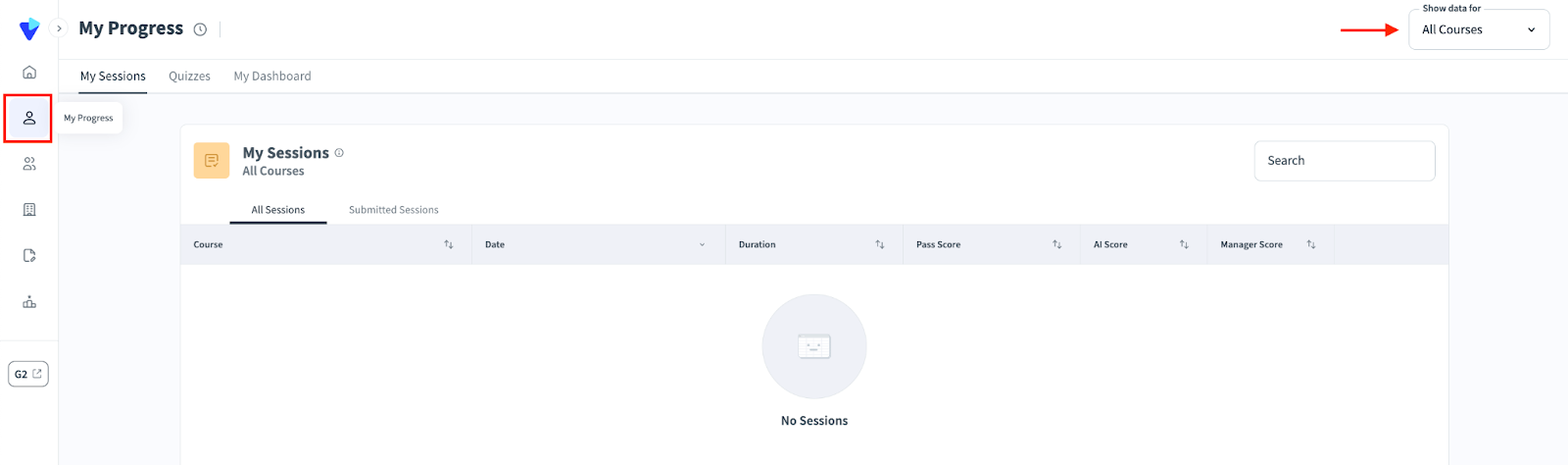
Trainees can see their sessions in the My Progress tab on the left hand navigation bar. This section is comprised of three tabs:
a. My Sessions: A breakdown of all the simulations that you participated in. Further broken down into two tabs: All Sessions and Submitted Sessions.
b. Quizzes: A breakdown of all quizzes you have taken in the process of completing courses.
c. My Dashboard: A summary of your progress based on an aggregate of all the courses you have taken, with some visibility of your team’s progress as well. This includes: average score, team average score, ranking, and number of completed sessions.
Within each of the My Progress sections, there is a drop down menu at the top right corner that lets you adjust the data returned to reflect all courses or one specific course.
In addition to the My Progress tab available to all users, Managers can additionally see sessions in the Team Overview and Company Overview tabs. To learn about these options, read more at “Team Overview” and “Company Overview”.