Can I upload a presentation?
Last updated: April 22, 2026
Yes. If you wish to have the trainee review a presentation during the simulation, during the course creation, go to the Presentation Settings section. Click Edit to reveal presentation setting options. Press Save when you have completed changes.
If the task does not involve a presentation, you may skip this step.
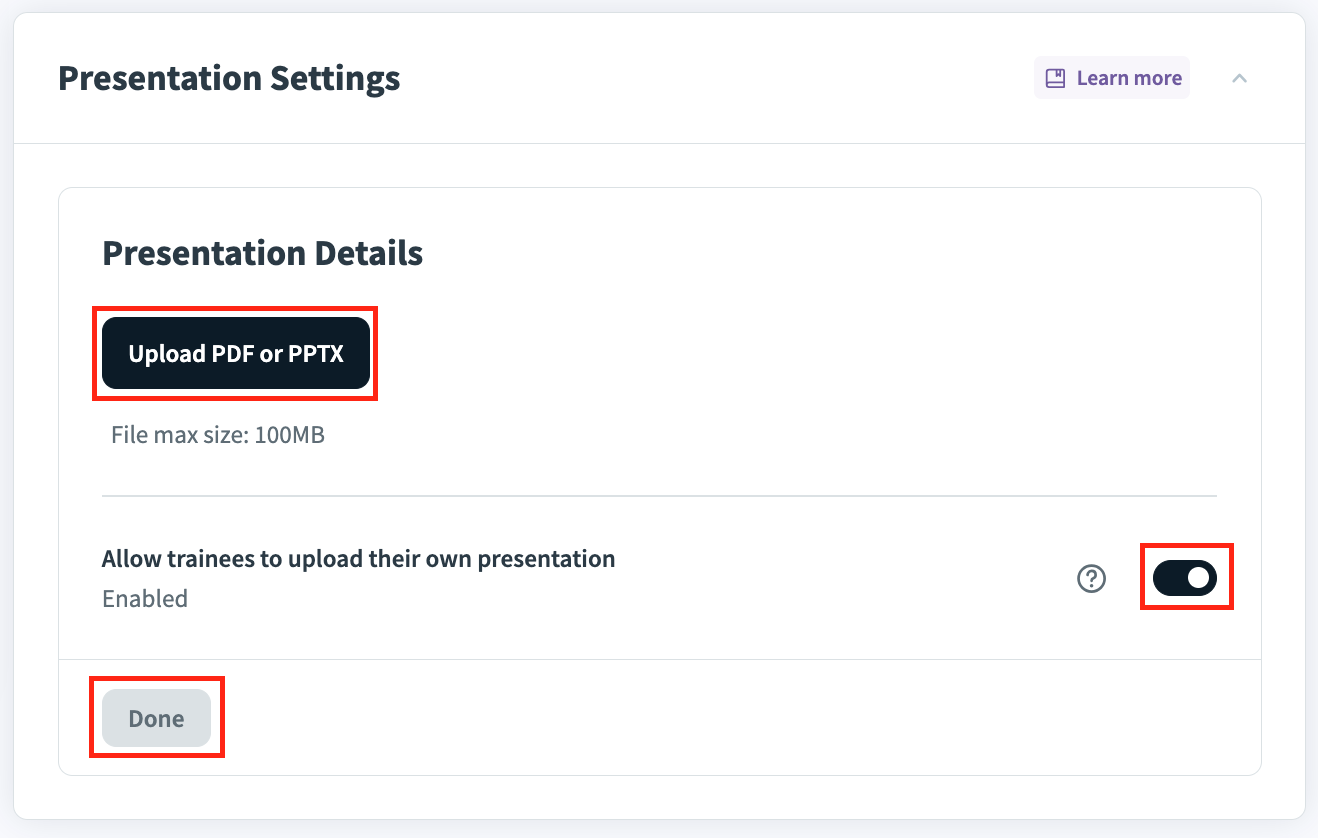
a. Press Upload PDF or PPTX to upload a presentation file. This will act as the default presentation for your trainees to use in their simulation.
b. Toggle Allow trainees to upload their own presentation if you would like the trainee to have the option to upload their own presentation.
NOTE:
If a presentation is uploaded and the user is provided the option to upload their own, they will have the option of which to choose at the start of the task.
See “Basic Settings and Presentation Settings” for more information on how you or your trainee can upload a presentation to be used within a simulation.